
Wings are one of the most consistent sellers in Roblox UGC. Players want silhouettes that read in third-person across every game — combat, social hangouts, role-play, anime experiences. A good wing accessory is bold enough to define an avatar from twenty studs away, scaled to fit the standard rig, and aligned to the BodyBackAttachment on first import.
Meshlox's wing generator is built around those constraints. You describe the wing type — angel, demon, fire, dragon, butterfly, mechanical — and the studio produces a single combined back accessory mesh with baked texture, ready to drop into Roblox Studio.
Wing styles that move on the Roblox marketplace
Feathered angel wings stay perennial — soft palettes, halo motifs, golden trim. Demon and dragon wings dominate combat and role-play games. Fire and elemental wings (bright gradients with baked-in glow) sell heavily in anime-style experiences. Mechanical and jetpack-style wings carry sci-fi avatars. And butterfly / fairy wings round out the catalog for social hangout games.
The pattern that wins: pick one wing archetype, then push the silhouette to the edge of recognizable. A "slightly cooler angel wing" is invisible. A "tattered black angel wing with crimson feather tips" gets attention in marketplace thumbnails.
Wings technical setup
Wings export as a single mesh with the pivot at BodyBackAttachment. The Meshlox plugin parents the accessory to the correct attachment on import, sets CollisionFidelity to Box, and applies the baked texture. Manual FBX / OBJ exports ship with the same pivot, so attaching in Studio is a single drag.
Triangle budget targets 2,500–3,500 — high enough for feathered detail and dragon scales without bumping into the 4,000 review cap. Texture is a single baked 1024×1024 PNG with stylized highlights and (for fire / elemental wings) baked emissive areas so glow reads under Roblox's lighting.
Prompt examples for Roblox wings
Every example follows the same Roblox-friendly pattern: subject + style anchor + material + low-poly Roblox aesthetic + isolated background.
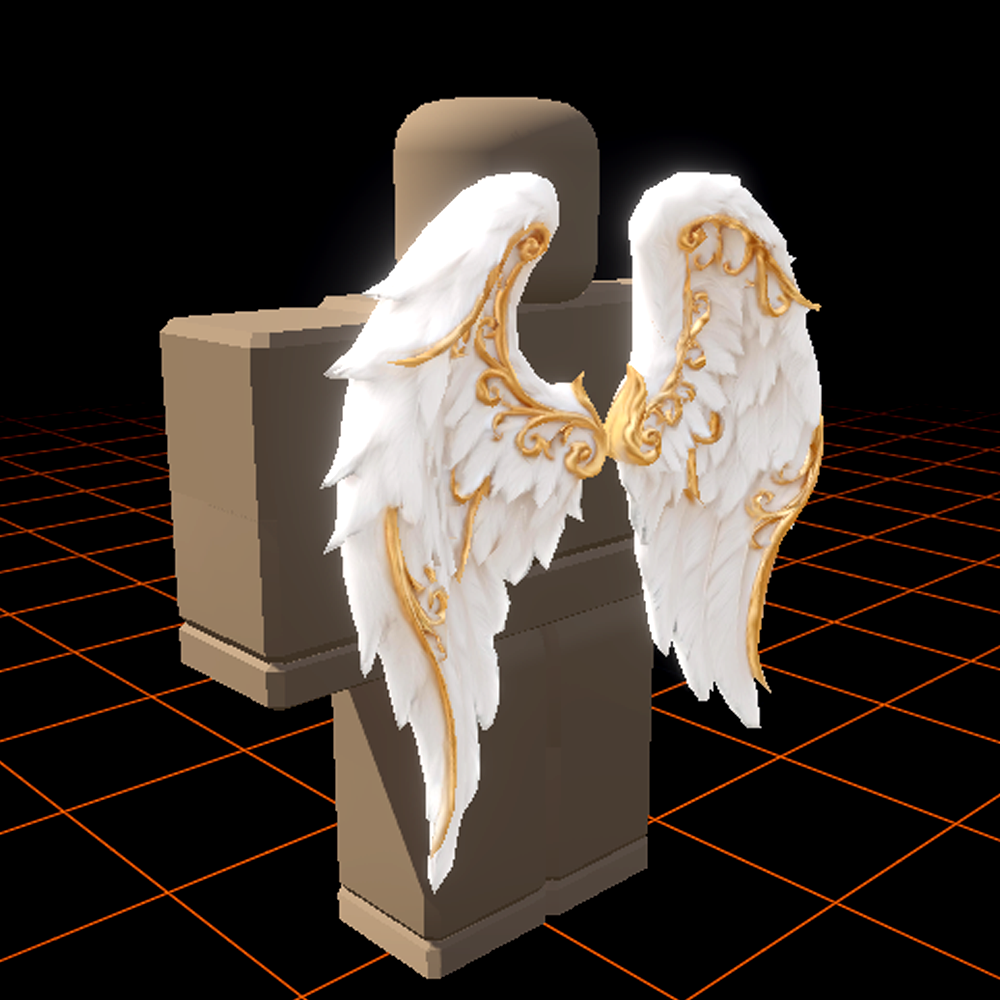
Stylized angel wings
"Roblox UGC back accessory, large angelic feathered wings, soft golden glow on feather tips, clean low-poly geometry, stylized fantasy avatar accessory, isolated background."
Tattered demon wings
"Roblox UGC back accessory, leathery demon wings, tattered membrane edges, deep crimson and black palette, sharp bone structure, low-poly Roblox style, isolated background."
Fire elemental wings
"Roblox UGC back accessory, fire wings made of flame planes, bright orange-to-yellow gradient, baked emissive glow, stylized low-poly Roblox aesthetic, isolated background."
Scaled dragon wings
"Roblox UGC back accessory, scaled dragon wings with bone frame, emerald-green membrane, ridged spines, stylized fantasy low-poly Roblox style, isolated background."
Popular wings styles
These are the wings styles Roblox players search for most. Dedicated style pages are rolling out — for now, use these prompt seeds inside Meshlox Studio to generate them on demand.
Fire wings
Glowing elemental wings with baked emissive highlights.
Generate in Studio
Angel wings
Soft feathered wings with halo-style palettes.
Generate in Studio
Demon wings
Leathery membrane wings with sharp silhouettes.
Generate in Studio
Dragon wings
Scaled membrane wings for fantasy and warrior avatars.
Generate in Studio
Butterfly wings
Stylized fairy and butterfly wing accessories.
Generate in Studio
Mechanical wings
Robotic and sci-fi jetpack-style wings.
Generate in Studio