
How to Get Great Roblox Low-Poly 3D Models (with Prompt Examples)
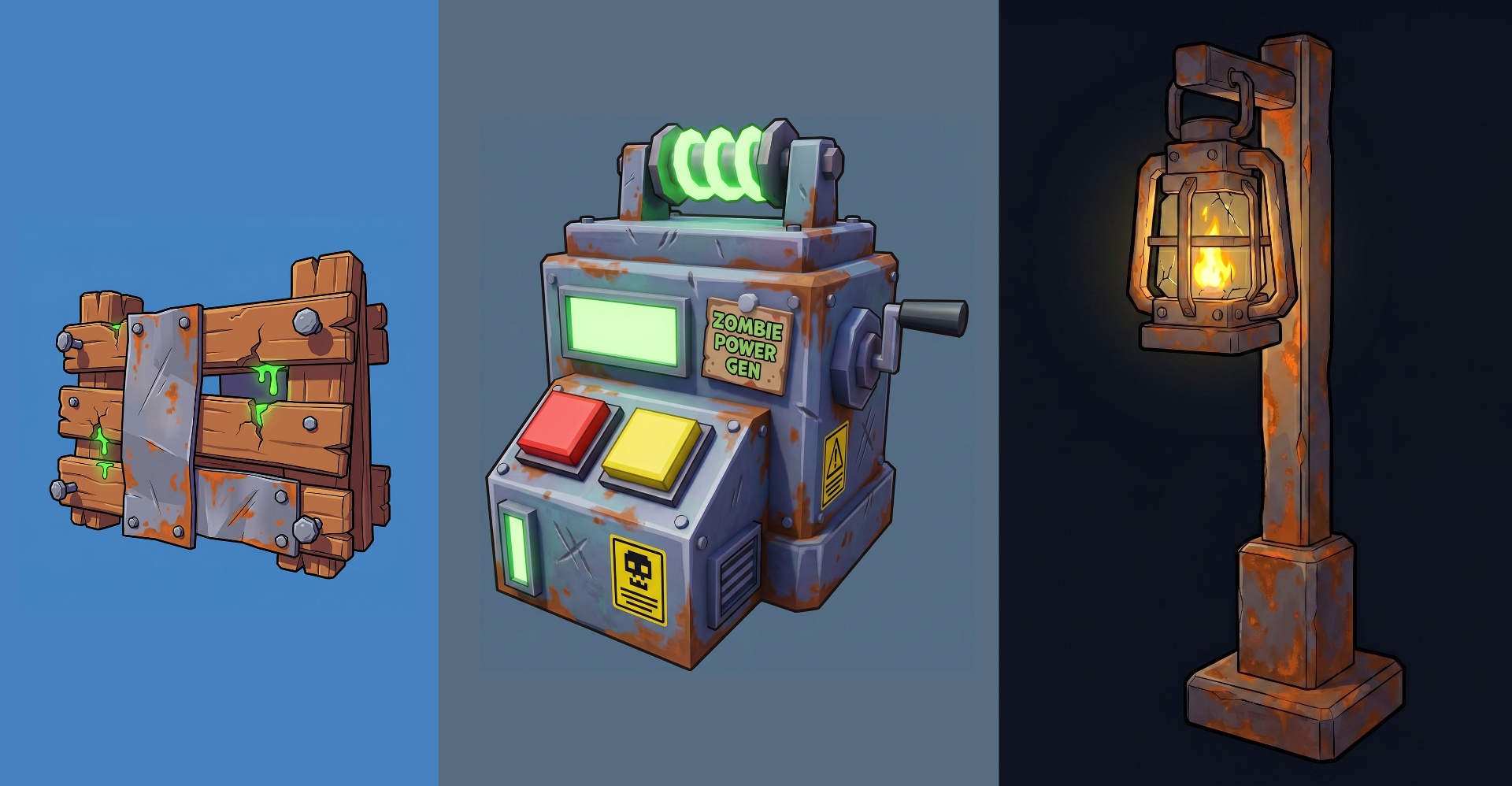
If you want assets that actually feel like they belong inside a Roblox experience, your prompt needs to tell the model two things up front: "Roblox style" and "low-poly". Skip either and you'll get something closer to a realistic render or a generic stylized prop — neither of which drops cleanly into your game.
This guide breaks down the recipe we use at Meshlox to generate clean, game-ready Roblox assets, plus 10 copy-paste prompts you can use right now.
The 5-part formula for a good Roblox prompt
Every prompt in this article follows the same pattern. Use it as a template:
- Subject — what the object is (lantern, generator, barricade).
- Style anchor — "Roblox style", "low-poly", "chunky", "stylized cartoon". Always include these.
- Material & color cues — rusted metal, wooden planks, glowing yellow core, bright readable shapes.
- Game context — survival, horror, sci-fi, fantasy. Helps the model commit to a vibe.
- Technical tail — "clean geometry, game-ready 3D model, isolated background". This is the part most people skip and it''s the part that makes the asset usable.
Why "low-poly" and "Roblox" must always be in the prompt
Without "low-poly", the model will happily add subdivided surfaces, smooth bevels, and dense triangulation that doesn''t match Roblox''s aesthetic and eats performance. Without "Roblox style", you''ll get generic stylized 3D — closer to a mobile match-3 game than to something that fits next to Roblox avatars and terrain.
Pair them with "chunky", "clean silhouette", and "isolated background" and you''ll get consistent, drop-in results.
10 ready-to-use prompts
💡 Light Generator (main objective)
Stylized Roblox emergency light generator, chunky low-poly design, glowing yellow power core, large buttons and switches, cartoon industrial details, clean geometry, bright colors, survival game asset, Roblox style, game-ready 3D model, isolated background.
🔋 Power Battery
Roblox power battery pack, oversized glowing yellow energy cell, chunky shapes, simple sci-fi design, cartoon materials, clean silhouette, low-poly Roblox asset, survival game prop, isolated background.
🏮 Portable Lantern
Roblox survival lantern, glowing warm yellow light, stylized metal frame, chunky proportions, simple details, cartoon aesthetic, low-poly Roblox game asset, isolated background.
🚧 Zombie Barricade
Roblox zombie barricade, wooden planks, metal sheets, warning signs, cartoon damage marks, chunky shapes, colorful Roblox style, game-ready low-poly asset, isolated background.
⚠️ Broken Street Lamp
Stylized Roblox street lamp with flickering yellow light, damaged but functional, chunky low-poly design, survival horror atmosphere, clean silhouette, isolated background.
📦 Supply Crate
Roblox survival supply crate, wooden crate with glowing yellow corner lights, chunky cartoon design, low-poly, bright readable shapes, game-ready Roblox asset.
🧟 Zombie Spawn Portal
Roblox zombie spawn portal, dark energy vortex, glowing red eyes floating inside, stylized cartoon effects, chunky Roblox design, low-poly game-ready asset, isolated background.
🔦 Spotlight Tower
Roblox spotlight tower, powerful yellow spotlight pointing downward, chunky industrial design, cartoon materials, survival game asset, optimized for Roblox.
☢️ Light Crystal (collectible)
Roblox light crystal, glowing golden crystal floating above a stone base, magical survival-themed collectible, low-poly Roblox style, clean geometry, isolated background.
🏆 Central Beacon (hero asset)
Massive Roblox survival beacon, towering light pillar projecting a bright golden beam into the sky, glowing energy core, chunky sci-fi design, clean low-poly geometry, stylized Roblox aesthetic, survival game centerpiece, highly detailed, game-ready 3D asset, isolated background.
Pro tips for better results
- Always say "isolated background" when you want a clean asset you can drop into your game. Skip it only when you''re rendering a full scene.
- Pick one glow color per asset set (yellow for power, green for toxic, red for danger). Consistent accents make a cohesive game world.
- Use "chunky proportions" instead of "small details" — Roblox''s visual language rewards readable silhouettes over fine detail.
- Mention the game genre (survival, horror, sci-fi, fantasy). It steers materials and color palette in one word.
- Reuse the technical tail — "clean geometry, game-ready 3D model, isolated background" — on every prompt. It''s the cheapest quality boost you''ll find.
Generate your own
Head to Meshlox Studio, paste any of the prompts above, and tweak the subject for your own game. Need icons or thumbnails to match? Icon Studio and Thumbnail Studio use the same style language so your storefront looks consistent end-to-end.
Ready to generate your first model?
Open Meshlox Studio in your browser — no install, no Blender.