
How to Create Roblox Thumbnails That Actually Get Clicks (2026 Guide)
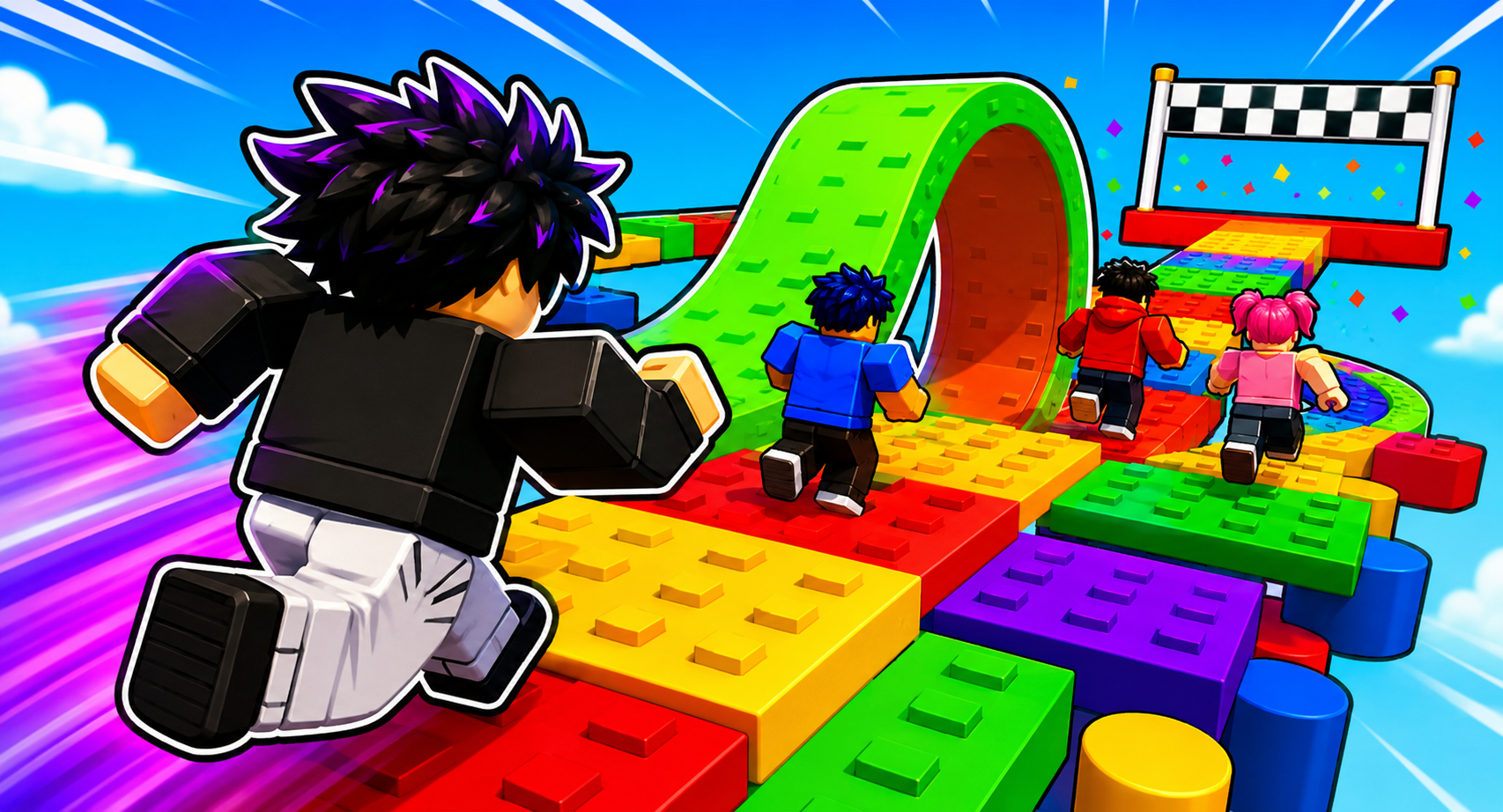
Your Roblox thumbnail is the single biggest lever for your game's click-through rate. A great thumbnail can take a game from 50 visits a day to 50,000. This guide shows you how to design Roblox thumbnails that actually convert in 2026 — using Meshlox Icon Studio to generate them in under a minute, no Photoshop required.
Why your thumbnail matters more than your game
On the Roblox home page, players see your icon first and your thumbnails right after. If those don't pop, nobody clicks — and the algorithm reads "low CTR" as "boring game" and stops surfacing you. Top creators routinely A/B test 10+ thumbnails before settling on a winner because a 2% CTR bump compounds into millions of visits.
Roblox thumbnail sizes and specs (2026)
- Game icon: 512×512 px, square, PNG or JPG, under 20MB.
- Game thumbnails: 1920×1080 px (16:9), up to 10 per experience.
- Group / badge icons: 512×512 px.
Roblox compresses uploads aggressively. Always export at the full resolution and keep flat color regions clean — gradients and noise get muddy after compression.
The 5 rules of high-CTR Roblox thumbnails
- One readable subject. A single character or object that fills 50–70% of the frame.
- Face the camera. Eyes and smile sell the click. Side profiles underperform every time.
- Saturation over realism. Roblox players scroll through dozens of thumbnails — neon pink, electric blue, and gold beat muted tones.
- 3-word headline max. If you add text, keep it to "NEW UPDATE!", "FREE VIP", "BOSS FIGHT" — anything longer can't be read at thumbnail size.
- Emotion or stakes. Show action, a reward, or a reaction face. Static "here's my map" shots get scrolled past.
Step 1 — Open Meshlox Icon Studio
Go to Icon Studio and pick the Game Thumbnail (1920×1080) preset. Meshlox Icon Studio is built specifically for Roblox creators — every output is sized correctly and styled to read at small sizes in the catalog feed.
Step 2 — Write a thumbnail prompt
Good Roblox thumbnail prompts are concrete and dramatic. Try these patterns:
- "Roblox character with glowing diamond sword, neon pink explosion behind, big smile, 3D render"
- "Roblox avatar holding a giant golden trophy, confetti, blue sky, cinematic"
- "Tiny Roblox character running from massive lava monster, dramatic lighting, action shot"
Add the words "Roblox style" and "thumbnail" — the model is tuned to recognize them and produces the blocky, stylized look players expect.
Step 3 — Iterate on variations
Click Generate 4 variations. Pick the one with the strongest silhouette — squint your eyes; the winning thumbnail still reads when blurry. That's the same test Roblox players run subconsciously as they scroll.
Step 4 — Add a 3-word headline (optional)
Use the built-in text overlay to drop a short headline in the top-left or top-right corner. Keep it bold, white with a thick black stroke, and avoid covering the character's face.
Step 5 — Upload to Roblox and A/B test
In Roblox Creator Hub, open your experience → Thumbnails → upload the PNG. Upload two different thumbnails on day one and watch the analytics dashboard for 48 hours. Whichever wins, generate three more variations of the winning style and repeat.
What separates a 1% CTR from a 7% CTR
We analyzed the top 100 trending Roblox games in 2026. The thumbnails with the highest CTR shared four traits:
- The character's face is in the upper third of the frame.
- There's a single bright "reward object" — pet, weapon, trophy, money.
- The background uses complementary colors (pink + blue, gold + purple).
- No more than 3 words of text.
FAQ
Can I use AI-generated thumbnails on Roblox?
Yes. Roblox allows AI-generated images for thumbnails and icons as long as they comply with community standards and don't infringe IP.
How often should I refresh my thumbnail?
Test a new one every major update, and at minimum monthly. Stale thumbnails kill momentum.
What's the difference between a game icon and a thumbnail?
The icon (512×512) is what shows in the discovery feed; thumbnails (1920×1080) appear on your experience page and in the carousel. You need both, and they should feel like the same campaign.
Next steps
Open Meshlox Icon Studio and generate your first thumbnail. Then read our guide on creating Roblox 3D models to fill out the rest of your UGC pipeline.
Ready to generate your first model?
Open Meshlox Studio in your browser — no install, no Blender.